Share Markdown
Share markdown files with one click. Get a public link instantly.
Like GitHub Gist, but simpler. Perfect for sharing notes, documentation, and ideas.
Features
- One-click sharing - Share any markdown file instantly
- Password protection - Optionally protect shared files with a password
- Keyboard shortcut -
Cmd+Alt+P(Mac) orCtrl+Alt+P(Windows/Linux) - Editor button - Click the share icon in the editor title bar
- Context menu - Right-click any .md file in the explorer
- Security warnings - Alerts you before sharing files that may contain secrets
Usage
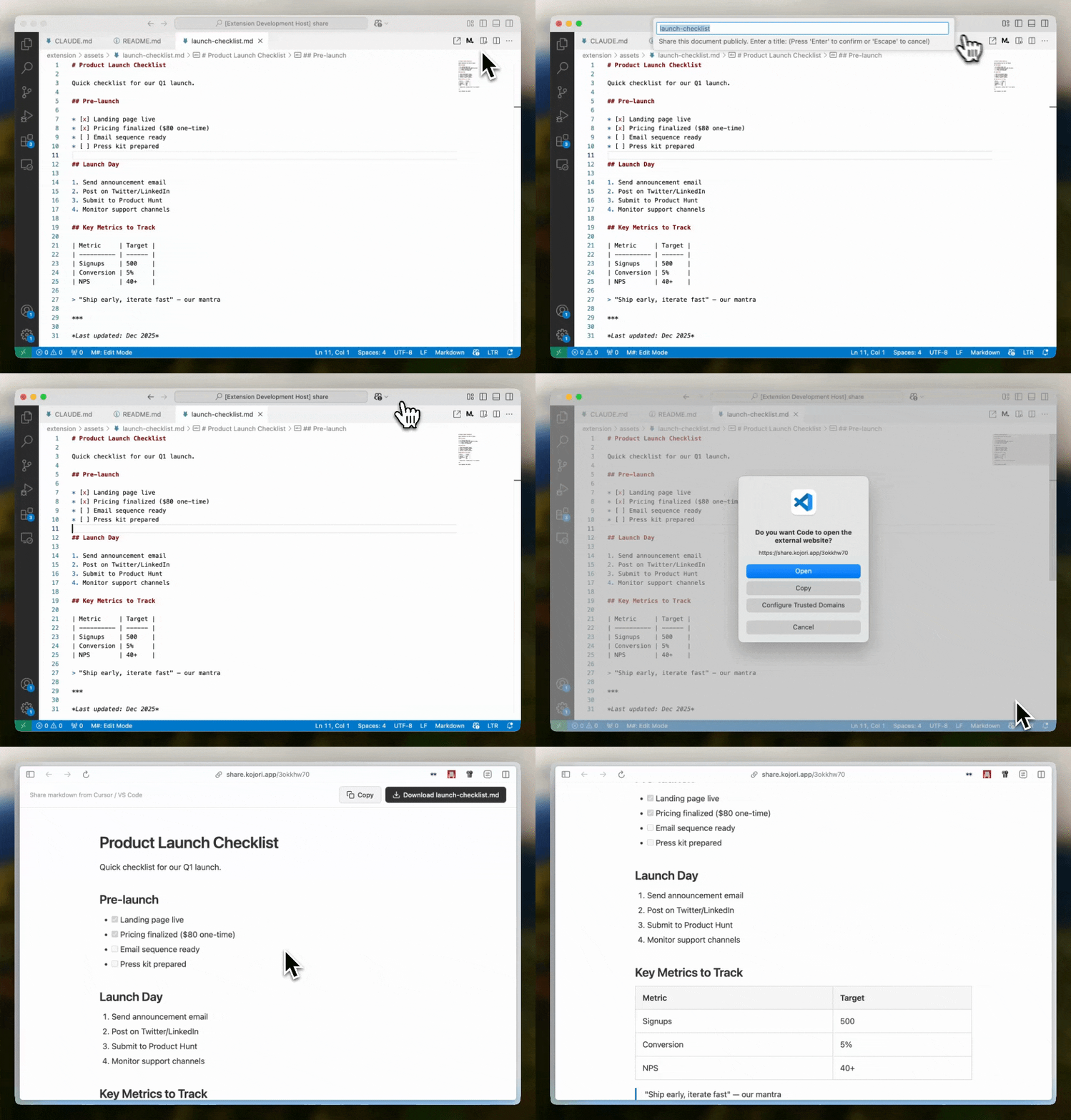
- Open a markdown file in VS Code
- Use one of these methods:
- Press
Cmd+Alt+P(Mac) orCtrl+Alt+P(Windows/Linux) - Click the share icon in the top-right of the editor
- Right-click the file in explorer and select "Share to Public Link"
- Press
- Enter a title for your document
- Optionally set a password (leave empty for public access)
- Link is copied to your clipboard automatically
What Gets Shared
- The entire content of your markdown file
- Files are publicly accessible via the generated link (unless password-protected)
- Password-protected files require the password to view
Privacy & Security
- Files are uploaded to share.kojori.app
- Shared files are public by default - anyone with the link can view them
- Use password protection for sensitive content
- The extension warns you if the filename contains patterns like
.env,secret, orcredentials - Large files (>100KB) trigger a confirmation prompt
About
Built by Kojori - a beautiful AI-first markdown editor.
Support
For issues, feature requests, or content removal: [email protected]
License
MIT